
Key takeaways
- Find a gaming chair that supports long sessions without aching shoulders or a stiff lower back. Compare lumbar systems, foam, recline and armrests first.
What's inside
As an Amazon Associate I earn from qualifying purchases. This post may contain affiliate links at no extra cost to you.
A good gaming chair keeps your lower back supported, your shoulders relaxed, and your legs comfortable through long evenings of play or work. The wrong chair makes itself known quickly: a seat that feels hard after an hour, armrests that sit too high or too low, or a backrest that leaves a gap where your lumbar curve needs contact. Comfort and support are not the same thing: a chair that feels soft at first can still fail to hold your posture.
This guide is for players who sit for hours at a time, people who use the same chair for gaming and home office work, and anyone whose current chair leaves their back stiff by day’s end. The five chairs below were chosen from their Amazon listing names and specifications, with attention to lumbar support, seat foam, recline range, and armrest adjustment, so you can match the chair to the way you actually sit.
Quick Picks
As an Amazon Associate we earn from qualifying purchases.
| Product | Best for | Key spec from title |
|---|---|---|
| Secretlab Titan Evo Stealth Gaming Chair | Long sessions with adjustable lower-back support | 4-Way Lumbar Support |
| Razer Iskur V2 X Ergonomic Gaming Chair | Built-in lumbar support in a wider seat | Widened Seat Base |
| Corsair TC100 Relaxed Gaming Chair | A relaxed, wider fit with removable pillows | Detachable Memory Foam Neck Pillow |
| AndaSeat Kaiser 3 Gaming Chair for Adults XL | Larger frames needing strong lumbar and neck support | Heavy Duty Neck and Back Lumbar Support |
| DXRacer I238S Master Series Gaming Chair | A firm, structured seat with adjustable armrests | Microfiber Leather 4D Armrests |
How to Choose
Padding that holds its shape
Padding decides whether a chair stays comfortable after the first hour. Dense cold-cure foam and high-density foam cushions resist flattening better than loose, soft fill, which can feel welcoming at first and then leave you sitting on the frame. Look at how the listing describes the seat and back foam, and consider whether the seat base is sculpted or flat. A sculpted base with flared edges can guide your hips into a neutral position, while a very flat seat gives you more room to shift around. If you sit for long stretches, firm and even padding usually serves you better than a plush surface that sinks unevenly under your weight.
Lumbar support you can adjust
Lumbar support is the feature that most directly affects comfort and support, and it works only when it meets your lower back in the right place. Built-in systems let you move the support up and down or change how far it presses forward, which matters because no two spines curve in exactly the same way. A separate lumbar pillow offers a simpler alternative: you can slide it to the height you need and remove it when you want to lean back freely. Whichever style you choose, check whether the adjustment is described as built-in and adjustable or as a loose cushion, and think about whether you prefer to set it once and leave it alone.
Recline and tilt that match your breaks
Recline range matters more than many buyers expect, because a chair that only sits upright forces you to stay in one position all day. A backrest that reclines well past upright lets you lean back between matches, stretch your spine, and change the angle of your hips without leaving the chair. A tilt mechanism adds another layer, letting the seat rock slightly or lock at an angle that feels natural for reading or watching video. Check the recline figure in the listing and picture how you will use it: a modest recline suits focused desk work, while a deeper recline suits someone who regularly leans back to rest.
Armrests and seat shape
Armrests carry more of your weight than they appear to, especially when you rest your elbows during long sessions. Four-direction armrests adjust in height, forward and back, sideways, and pivot angle, so you can bring them in line with your keyboard and mouse instead of shrugging your shoulders to reach them. Two-direction armrests adjust in fewer ways and suit a simpler setup where your desk height rarely changes. Seat shape matters just as much: a wider seat base gives your hips room to move, raised side bolsters hold you in place during intense play, and a narrower racing-style seat can feel restrictive if you like to sit cross-legged or shift position often.
The 5 Best Options
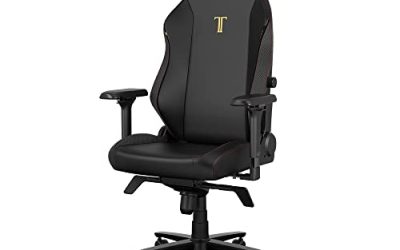
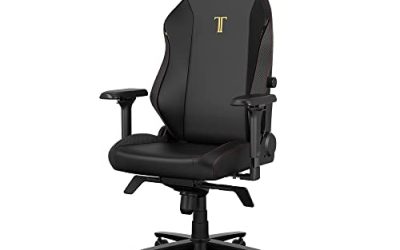
Secretlab Titan Evo Stealth Gaming Chair

This chair suits a player who wants to fine-tune lower-back support rather than rely on a loose cushion. Its built-in lumbar system adjusts in several directions, so you can move the support to the height and depth that matches your spine, and the memory-foam head pillow snaps into place and moves with you. Cold-cure foam gives the seat a medium-firm feel that holds its shape through long sessions, while the leatherette finish wipes clean and suits a tidy setup. It is a strong fit for someone who games and works at the same desk and wants one chair to cover both.
Specs
- Cold-cure foam seating
- Memory-foam magnetic head pillow
- Full-metal 4D armrests
- 4-way built-in adjustable lumbar support
- Full-length backrest reclines to 165 degrees
- Multi-tilt mechanism
- Leatherette upholstery in Black
Best for: Players who want built-in, adjustable lumbar support and a firm, structured seat for long desk sessions.
Watch out for: Check the size guidance on the Amazon listing before ordering, because the Regular size is shaped for a specific height and build range.
Razer Iskur V2 X Ergonomic Gaming Chair

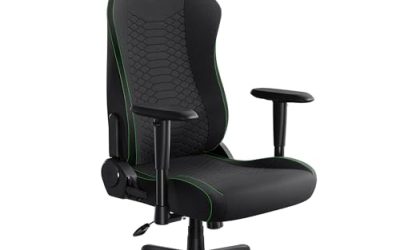
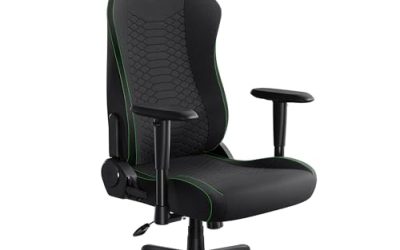
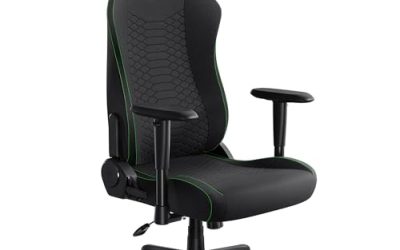
This chair suits a player who wants built-in lumbar support without a complicated adjustment routine. The lumbar support is integrated into the backrest, so there is no separate pillow to slide around or lose, and the widened seat base gives your hips more room than a narrow racing-style chair. High-density foam cushions keep the seat supportive rather than soft and sinking, and the fabric finish feels cooler and more breathable than a smooth leather-style cover. It fits a shared gaming and work setup well, especially if you prefer a chair that feels supportive the moment you sit down.
Specs
- Built-in lumbar support
- Widened seat base
- High-density foam cushions
- Adjustable 152-degree recline
- 2D armrests
- Plush fabric finish in Black
- Model number RZ38-05310100-R3UA
Best for: Players who want built-in lumbar support and a wider, fabric-covered seat for everyday gaming and work.
Watch out for: Confirm the armrest adjustment range on the Amazon listing, because the 2D armrests move in fewer directions than 4D armrests on other chairs here.
Corsair TC100 Relaxed Gaming Chair

This chair suits a player who finds standard racing chairs too narrow or too upright. The Relaxed design uses a wider seat and a more open backrest shape, so you can shift position without pressing against high side bolsters. A lumbar pillow and a detachable memory-foam neck pillow come with the chair, letting you add support where you need it and remove the pillows when you want a flatter backrest. The fabric finish suits longer sessions in a warm room, and the adjustable seat height and armrests help you line the chair up with your desk. It is a practical choice for a relaxed setup.
Specs
- Fabric upholstery in Black
- Racing-inspired design
- Lumbar pillow included
- Detachable memory-foam neck pillow
- Adjustable seat height
- Adjustable armrests
Best for: Players who want a wider, relaxed fit with removable neck and lumbar pillows for long, casual sessions.
Watch out for: Check the seat width and overall dimensions on the Amazon listing against your desk space, because the relaxed shape takes up more room than a slim racing chair.
AndaSeat Kaiser 3 Gaming Chair for Adults XL

This chair suits a taller or larger player who needs a chair built around a bigger frame. The XL size pairs a wide backrest with a spacious seat, and the lumbar system adjusts in four ways so you can set both the height and the firmness of the support. A magnetic memory-foam neck pillow stays in place when you lean back, and the fabric upholstery gives the chair a softer, more breathable feel than a smooth leather finish. Recline and magnetic armrests round out a chair that is designed for long sessions rather than short bursts of play, and the heavy-duty build suits daily use.
Specs
- Fabric ergonomic gaming chair in Luxury Black
- 4-way adjustable lumbar support
- Magnetic memory-foam neck pillow
- Reclines from 90 degrees to 160 degrees
- Magnetic 4D armrests
- XL size for adults
- Heavy-duty neck and back lumbar support
Best for: Larger players who need an XL frame, strong lumbar support, and a magnetic neck pillow that stays put.
Watch out for: Check the recommended height and build guidance on the Amazon listing, because the XL size is designed for larger frames and may feel too roomy for smaller sitters.
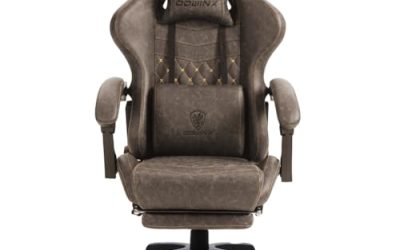
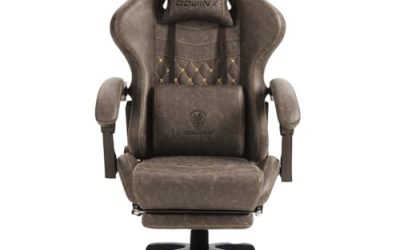
DXRacer I238S Master Series Gaming Chair

This chair suits a player who likes a firm, structured seat with clear ergonomic shaping. The Master Series pairs high-density foam cushions with ergonomic head and lumbar support, so your back and neck have defined contact points rather than a flat surface. Microfiber leather gives the chair a smooth, durable finish, and the 4D armrests adjust in height, depth, width, and angle to match your keyboard position. It is a good match for someone who sits upright for competitive play and wants a chair that holds its shape and keeps their posture steady through a long session.
Specs
- Microfiber leather upholstery
- 4D armrests
- Ergonomic head and lumbar support
- High-density foam cushions
- Master Series model I238S
Best for: Players who want a firm, structured Master Series chair with 4D armrests and defined head and lumbar support.
Watch out for: Check the colour and upholstery variant on the Amazon listing before ordering, because the Master Series is sold in several finishes and sizes.
Which One Fits Your Situation
You sit for hours and your lower back aches
Choose the Secretlab Titan Evo Stealth Gaming Chair. Its 4-way built-in lumbar support lets you move the support up, down, and forward until it meets your lower back, rather than hoping a fixed pillow lands in the right place. Cold-cure foam and a full-length backrest keep that support steady through long sessions, and the magnetic head pillow adds neck support when you lean back between matches.
You want support without fiddling with pillows
Choose the Razer Iskur V2 X Ergonomic Gaming Chair. Its built-in lumbar support is part of the backrest, so you sit down and the support is already there. The widened seat base and high-density foam cushions suit players who want a straightforward chair that feels supportive from the first session, and the fabric finish keeps the seat comfortable during long evenings.
You find racing chairs too narrow
Choose the Corsair TC100 Relaxed Gaming Chair. Its wider, relaxed shape gives your hips and shoulders room to move, and the included lumbar pillow and detachable memory-foam neck pillow let you add support only where you need it. Adjustable seat height and armrests help you settle into a comfortable position at your desk without feeling squeezed by high bolsters.
You are tall or large and need an XL frame
Choose the AndaSeat Kaiser 3 Gaming Chair for Adults XL. Its wide backrest, spacious seat, and 4-way adjustable lumbar support are designed around a larger frame, and the magnetic memory-foam neck pillow stays in place when you recline. If the DXRacer Master Series appeals for its firm structure but the sizing feels close, the Kaiser 3 XL gives you more room to sit comfortably.
Common Mistakes
- Choosing a chair by how soft the seat feels in the first few minutes, instead of checking whether the foam and lumbar support hold up over several hours.
- Ignoring the size guidance on the listing and ordering a Regular chair when your height or build calls for a larger frame, or an XL chair when you need a smaller one.
- Picking a leather-style finish for a warm room without considering whether a breathable fabric cover would feel more comfortable during long sessions.
- Forgetting to check armrest adjustment, then finding the armrests sit too high or too wide for your keyboard and mouse position.
- Treating recline as an extra feature rather than a comfort tool, and missing the chance to change position and ease your back during breaks.
Frequently Asked Questions
What kind of lumbar support is best for long gaming sessions?
Adjustable lumbar support usually works best for long sessions, because you can move it to the height and depth that matches your spine. Built-in systems let you change the support without handling a loose cushion, while a separate lumbar pillow lets you slide it around freely. Either style can work well, so choose the one you are most likely to adjust until it feels right, then leave in place.
Is a fabric or leather-style gaming chair more comfortable?
Fabric tends to feel cooler and more breathable during long sessions, which suits warm rooms and players who sit for hours. A leather-style finish wipes clean easily and can feel smoother against your arms, but it may feel warmer over time. Your room temperature and how much you move in the chair matter more than the material alone, so match the cover to your setup.
How much recline do I need in a gaming chair?
A recline range that goes well past upright lets you lean back during breaks and change the angle of your hips, which can ease stiffness after long periods of sitting upright. Chairs in this guide recline to 152 degrees or more, which is enough for a relaxed lean-back position. If you mainly sit upright for competitive play, a moderate recline still helps you stretch between matches.
Do I need 4D armrests for comfort and support?
Four-direction armrests help when your desk height, keyboard position, or seating posture changes often, because you can adjust height, depth, width, and pivot angle. Two-direction armrests suit a simpler setup where your desk and chair height rarely change. If your shoulders feel tense after long sessions, check whether your armrests are forcing your elbows too high or too far out.
Related guides
More from Amazon
Programs that pair well with the guide above. Offers and eligibility are set by Amazon and may change.
Free shipping on eligible items, Prime Video and more. Eligible new members can start with a free trial.
Start a Prime free trialAudiobooks and podcasts to listen to on the go. Eligible new members can start with a free trial.
Try Audible freeAd-free music streaming. Eligible new subscribers can start with a free trial.
Try Music Unlimited freeA free business account with business pricing and bulk-buying tools for work, shop or home office.
Create a business accountAs an Amazon Associate we earn from qualifying purchases.
Write Your Review
No reviews yet. Be the first to share your experience!