
Key takeaways
- Compare four gaming chairs for long sitting sessions, with adjustable lumbar support, recline, armrests and seat sizing to match your desk setup.
What's inside
As an Amazon Associate I earn from qualifying purchases. This post may contain affiliate links at no extra cost to you.
Sitting through a long workday or an evening of gaming is a different decision when your back hurts most days. You are not just picking a chair that looks good on camera; you are choosing how your lower back, shoulders and hips will feel after several hours in the same seat. A chair that cannot change position during the day leaves you stuck with one posture, and that single posture is often the problem.
This guide is for people who sit for long stretches at a desk, gamers who play for several hours at a time, and remote workers whose back discomfort follows them from morning to evening. Every chair below was selected from its name and listed specifications on its Amazon page, with attention to lumbar support, recline range, armrest adjustment and seat sizing.
Quick Picks
As an Amazon Associate we earn from qualifying purchases.
| Product | Best for | Key spec from title |
|---|---|---|
| Razer Iskur V2 X | Long sessions where built-in lumbar support needs to stay in place | Built-in lumbar support with integrated lumbar arch |
| Dowinx 6657A | Changing position through the day with a footrest and massage lumbar pillow | USB massage lumbar pillow |
| RESPAWN 110 Pro | Reclining far back between tasks with an extendable footrest | 155-degree recline with infinite angle lock |
| DXRacer Master I238S | Fine-tuning lumbar support with a dial instead of a loose pillow | Built-in dial-adjustable lumbar support |
How to Choose
Lumbar Support That Stays Where You Put It
Lumbar support only helps if it stays aligned with the curve of your lower back as you move. A built-in arch or a dial-adjusted support is fixed to the chair, so it does not slide down when you shift in the seat or lean back. A separate lumbar pillow can work well too, but check whether it straps on or rests loose, because a pillow that drifts out of position during a long session needs constant readjusting. Think about how you sit: upright while typing, leaning back while watching a video, or shifting sideways during a game. The support should match the position you spend the most time in, and it should be easy to adjust without standing up.
Recline Range for Changing Position
Staying in one angle all day puts the same load on the same muscles, so a wide recline range matters more than a single comfortable angle. A chair that reclines from upright to well past 130 degrees lets you lean back between tasks, stretch out with a footrest, or sit more upright when you need to focus on the screen. Check whether the recline locks at different angles or only at a few set points, because an infinite angle lock gives you more options than a chair with three fixed stops. Also check how the recline lever works, since a stiff or awkward mechanism discourages you from changing position at all.
Seat Size, Depth and Weight Capacity
A seat that is too narrow squeezes your hips, while a seat that is too deep leaves your lower back unsupported unless you sit forward. Look at the seat depth and the interior height of the backrest in the specifications, and compare them with the chairs you have sat in before. A wider seat base gives you room to shift position, which matters when sitting for hours. Weight capacity is a separate check: it tells you the load the chair is rated for, and choosing a chair rated well above your weight leaves more margin for the gas lift, frame and cushioning over time.
Armrests, Fabric and Daily Adjustability
Armrests set the height of your shoulders while you type or hold a controller, so armrests that move in several directions are easier to match to your desk than fixed ones. Two-dimensional armrests adjust up and down and forward and back, while three- and four-dimensional versions add width and angle adjustment. Fabric and upholstery affect how the chair feels over a long session: breathable fabric or perforated material lets air move, while smooth leatherette wipes clean more easily. If your back discomfort is persistent or severe, talk to a healthcare professional about sitting, posture and activity, because a chair is furniture, not treatment.
The 4 Best Options
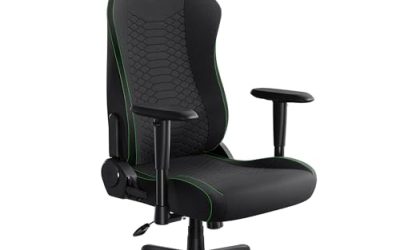
Razer Iskur V2 X

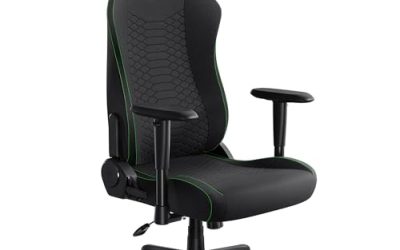
The Razer Iskur V2 X is built around a lumbar arch that is part of the chair itself, rather than a pillow you have to reposition. That design suits someone who wants the lower-back support to be in the same place every time they sit down, without straps or adjustments to think about. The widened seat base gives extra room to shift position during a long session, and the high-density foam cushions are shaped to hold their form through repeated use. Plush fabric covers the seat and backrest, and the recline reaches 152 degrees when you want to lean back between tasks.
Specs
- Built-in lumbar support with integrated lumbar arch
- Widened seat base
- High-density foam cushions
- Plush fabric finish
- 152-degree adjustable recline
- 2D armrests
Best for: Sitting for long stretches with lumbar support that stays fixed in place.
Watch out for: The 2D armrests adjust in fewer directions than 3D or 4D armrests, so check that their height and depth range matches your desk.
ASIN: B0DP5SY554
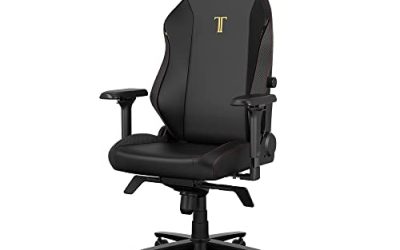
Dowinx 6657A

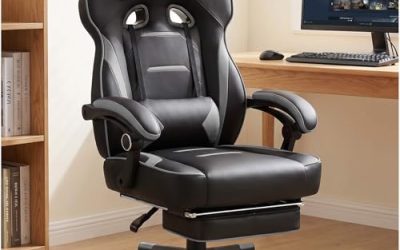
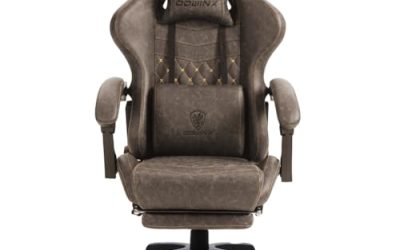
The Dowinx 6657A is the most feature-packed chair in this group, aimed at people who want to change position often through the day. Its lumbar pillow includes a USB massage function, and the pocket spring cushion is designed to distribute weight across the seat rather than concentrating it in one spot. The backrest reclines from 90 to 135 degrees, and a retractable footrest pulls out when you lean back. Three-dimensional armrests adjust in more directions than basic armrests, and an adjustable headrest adds support for the neck during reclined breaks.
Specs
- USB massage lumbar pillow
- Pocket spring cushion
- 90- to 135-degree reclining backrest
- Retractable footrest
- 3D adjustable armrests
- Adjustable headrest
- Breathable PU leather
- Seat back interior height 32.3 inches
- Seat depth 19.3 inches
- Supports up to 300 pounds
Best for: Changing between upright work, reclined rest and footrest breaks during a long day.
Watch out for: The massage pillow needs a USB power source nearby, so check your desk layout before counting on that feature.
ASIN: B0BYYM8PWH
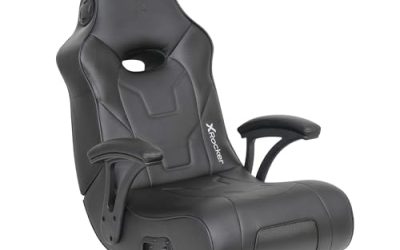
RESPAWN 110 Pro

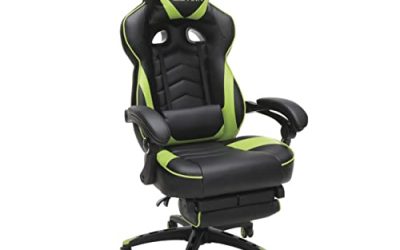
The RESPAWN 110 Pro is built for people who lean back often and want the recline to stop exactly where they choose. Its 155-degree recline uses an infinite angle lock, so you are not limited to a handful of preset positions, and the extendable footrest supports your legs when you recline. Dual-density foam cushions combine a firmer layer with a softer one, and the seat height adjusts from 18.5 to 21.7 inches to suit different desk heights. Pivoting padded armrests move with your arms as you shift, and the fabric upholstery gives the chair a softer feel than smooth leatherette.
Specs
- 155-degree recline with infinite angle lock
- Extendable footrest
- 275-pound maximum weight recommendation
- Dual-density foam cushions
- Seat height 18.5 to 21.7 inches
- Pivoting padded armrests
Best for: Reclining to different angles through the day with a footrest for breaks.
Watch out for: The 275-pound maximum weight recommendation is lower than some chairs here, so confirm it fits your needs before buying.
ASIN: B0DGKVGH8X
DXRacer Master I238S

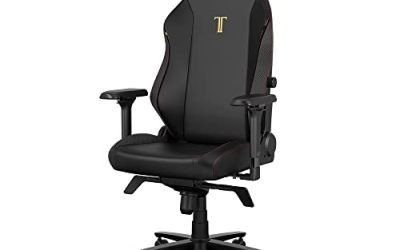
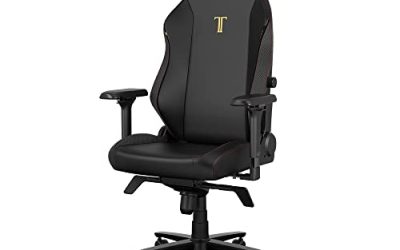
The DXRacer Master I238S takes a different approach to lumbar support: instead of a pillow, it uses a built-in support you adjust with a dial. That lets you change the amount of support without removing anything or repositioning a cushion, which is useful when your comfort needs shift during the day. Four-dimensional armrests adjust in height, depth, width and angle, giving the most adjustment range in this group. A Class 4 gas lift and an aluminum base support the seat, and the multi-functional tilt lets the chair rock or lock in place. Microfiber leatherette covers the seat and backrest.
Specs
- Built-in dial-adjustable lumbar support
- 4D armrests
- Class 4 gas lift
- Aluminum base
- 220-pound recommended weight
- Microfiber leatherette
- Multi-functional tilt
Best for: Adjusting lumbar support with a dial during the day without moving a pillow.
Watch out for: The 220-pound recommended weight is the lowest in this group, so check the rating carefully against your weight.
ASIN: B0B9B96FDY
Which One Fits Your Situation
You Sit at a Desk All Day and Rarely Recline
Choose the Razer Iskur V2 X if most of your sitting is upright at a keyboard. Its built-in lumbar arch stays in the same place, so you do not need to reposition a pillow after every break. The widened seat base leaves room to shift your hips, and the high-density foam cushions hold their shape through repeated sitting. Recline to 152 degrees is there when you want a break, but the chair is strongest as a steady upright seat.
You Want to Change Position Every Hour or Two
Choose the Dowinx 6657A if you like to move between upright work, a reclined stretch and a footrest break. Its backrest moves from 90 to 135 degrees, the footrest pulls out for rest periods, and the 3D armrests adjust to match each new position. The pocket spring cushion spreads weight across the seat, and the USB massage lumbar pillow adds another option for the lower back. Breathable PU leather suits long sessions at a desk.
You Lean Back Often and Want the Recline to Lock Anywhere
Choose the RESPAWN 110 Pro if you recline frequently and want the backrest to stop at the exact angle you choose. The infinite angle lock and 155-degree range give more positions than a chair with fixed stops, and the extendable footrest supports your legs when you lean back. Dual-density foam cushions and a seat height range of 18.5 to 21.7 inches help match the chair to your desk. Pivoting armrests move as you shift.
You Prefer Dial Adjustment Over a Loose Pillow
Choose the DXRacer Master I238S if you want to fine-tune lumbar support with a dial instead of handling a separate pillow. A small turn changes the support without standing up or removing anything, which makes it easy to adjust as the day goes on. The 4D armrests offer the widest adjustment range here, and the aluminum base and Class 4 gas lift support the seat. Check the 220-pound recommended weight first to make sure it fits.
Common Mistakes
- Buying on looks alone and ignoring seat depth, backrest height and weight capacity.
- Choosing a lumbar pillow chair without checking whether the pillow stays in place.
- Picking a chair with a narrow recline range when you plan to change position often.
- Setting armrests too high or too low for your desk, which pushes your shoulders up or leaves them unsupported.
- Assuming any gaming chair will address back discomfort, instead of checking the support features listed on the product page and talking to a healthcare professional if pain persists.
Frequently Asked Questions
What makes a gaming chair suitable for someone with ongoing back discomfort?
Look for support features you can adjust and keep in place, such as a built-in lumbar arch, a dial-adjusted support, or a lumbar pillow that stays put. A wide recline range, adjustable armrests and a seat that fits your body also matter. No chair is a treatment, and if your pain is persistent or severe, talk to a healthcare professional.
Is a built-in lumbar support better than a lumbar pillow?
Built-in support stays in the same place every time you sit down, while a pillow can drift and needs repositioning. A pillow has the advantage of being removable and adjustable in height. The better choice depends on whether you prefer a fixed support, like the Razer Iskur V2 X, or a movable one you can adjust yourself.
How much recline do I need in a chair for long sitting sessions?
A range that reaches at least 130 to 150 degrees gives you room to lean back between tasks and change your posture through the day. Chairs in this guide recline from 135 to 155 degrees. A lock that holds the backrest at different angles is useful, because it lets you stop at the position that feels most comfortable.
Should I choose fabric or PU leather for long daily use?
Fabric feels softer and lets air move, which suits long sessions in a warm room. PU leather and leatherette wipe clean more easily and have a smoother surface. Both are used in the chairs here, so choose based on how warm your room gets and how much cleaning you want to do, rather than on durability claims alone.
Related guides
More from Amazon
Programs that pair well with the guide above. Offers and eligibility are set by Amazon and may change.
Free shipping on eligible items, Prime Video and more. Eligible new members can start with a free trial.
Start a Prime free trialAudiobooks and podcasts to listen to on the go. Eligible new members can start with a free trial.
Try Audible freeAd-free music streaming. Eligible new subscribers can start with a free trial.
Try Music Unlimited freeA free business account with business pricing and bulk-buying tools for work, shop or home office.
Create a business accountAs an Amazon Associate we earn from qualifying purchases.
Write Your Review
No reviews yet. Be the first to share your experience!